India runs on mobile. The way that people shop, pay bills, watch cricket, and keep connected has been shifted to smartphones—and online gaming isn’t any different. The majority of Indian players who wager on cricket or engage in casino games don’t have to sit at their computer to perform the task. They grab their phones when a game begins and can check live odds during the over and make bets when the match is taking place.
This is exactly why a dedicated mobile app matters. Not as a convenience feature added on top of a desktop platform, but as the primary experience the platform is built around. The WazirWin application was designed to meet this kind of scenario, providing market-based betting on cricket, real-time odds, and casino games, as well as withdrawals, deposits, and management of accounts through an all-in-one mobile application created especially to cater to Indian players.
This guide will cover all you require to know: what the app can offer the user, how to download the app and then install it on Android and iOS, the reasons it is superior to using an online browser, and the best way to make the most of it after it’s installed.
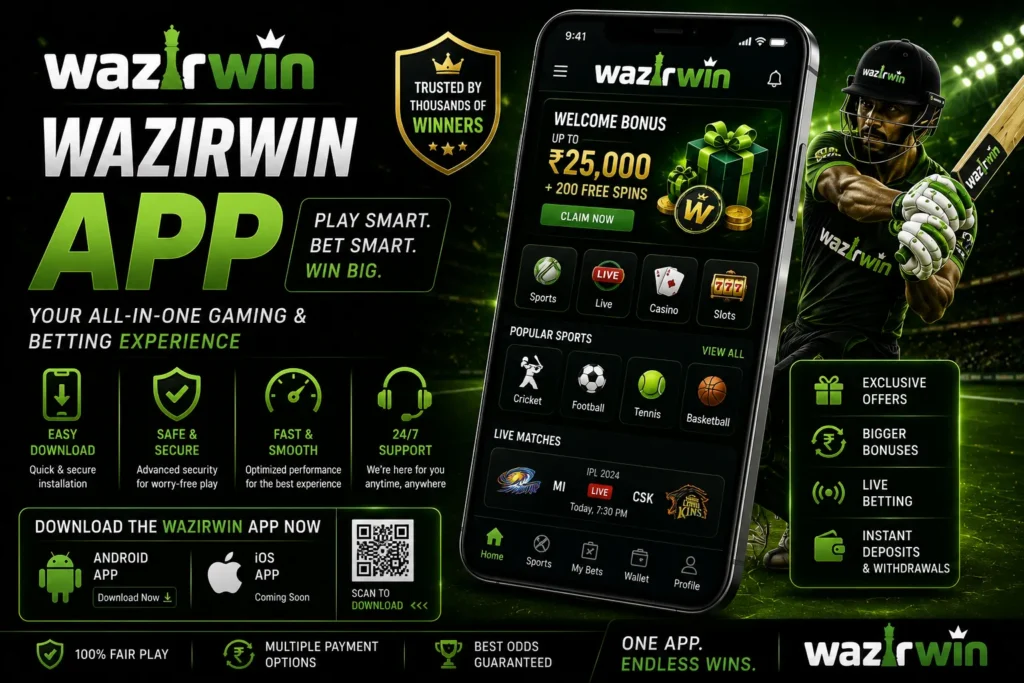
Table of Contents
App vs Mobile Browser—Why It Actually Matters
A common question from players new to mobile gaming is whether a dedicated app is genuinely better than simply opening the platform in a mobile browser. For many users, a dedicated app can provide a smoother and more convenient experience than using a mobile browser—and the difference becomes more noticeable the more seriously you engage with cricket betting.
Browser-based gaming on mobile works, but it has limitations. Pages reload when you switch tabs. Live odds can lag during fast-moving matches. Login sessions expire at inconvenient moments. The interface is designed for a screen that the browser approximates rather than optimizes for.
A dedicated app removes all of these friction points. It maintains a persistent connection that keeps live odds current without manual refreshes. It stays logged in between sessions. It sends push notifications about match starts, odds movements, and bonus offers. And it is built specifically for touch interaction — with interface elements sized and positioned for a phone screen rather than adapted from a desktop layout.
For IPL live betting specifically, the difference is significant. Ball-by-ball odds updates require a stable, fast connection that a dedicated app maintains more reliably than a browser tab competing with other open pages on the same device.
What the App Covers
The app is a complete version of the platform—not a stripped-down mobile version with reduced features. Everything available on the full platform is accessible through the app.
Cricket Betting: All cricket betting markets are fully accessible—match winner, top batsman, top bowler, over/under runs, man of the match, and live in-play betting across IPL, ICC tournaments, ODI series, Test matches, and major domestic Indian competitions. The live betting interface updates in real time and is designed for fast mobile interaction, with clear odds displays and large touch targets that work well during the pace of a live match.
Casino Games The full casino library is available through the app—live dealer tables, slots, Teen Patti, Andar Bahar, roulette, blackjack, baccarat, and cricket-themed games. Live dealer streams run directly through the app with stable video quality, delivering the experience of playing with a real dealer in a studio environment without the buffering issues that often affect browser-based streams on mobile connections.
Deposits and Withdrawals UPI, Paytm, PhonePe, and Net Banking are all fully functional through the app. The payment flow is streamlined for mobile — UPI payments open directly in your preferred payment app without requiring manual tab switching, making deposits faster and more straightforward than on desktop.
Bonuses and promotions Your current bonuses, offers available, and your promotional wallets are available and accessible via the app. Push notifications alert you to new promotions, IPL free bet offers, and time-sensitive deals—without needing to check the platform manually.
Account Management Your full account — Cricket ID settings, KYC verification status, transaction history, responsible gaming tools, and VIP tier information — is accessible through the app’s account section. Everything you would manage on desktop is available on mobile without compromise.
How to Download and Install — Android
Android is the dominant mobile platform in India, and the app is optimised primarily for Android devices. Because online gaming apps are not listed on the Google Play Store in India, the app is downloaded directly from the platform — a process known as sideloading.
Step 1: Turn on Unknown Sources. If you want to change the settings on your phone. go to the settings on your phone and then go to the section security or privacy. The exact position of this option might differ based on the Android version and the manufacturer of your device. Select the option to allow application installation from other sources beyond those on the Google Play Store. The default settings are available on all Android devices and take only the time to change.
Step 2 — Download the APK
Open your mobile browser, and then go to the official site that runs the application, and then click the option to download the application. It’s often prominently displayed on the home page. Click on the download link to save the APK file onto your device.
Step 3 — Install the App Once the download completes, open the APK file from your notifications bar or file manager. Follow the on-screen installation prompts—the process takes under a minute on most devices. The app appears on your home screen or app drawer once installation is complete.
Step 4 — Log In or Register Open the app and log in with your existing Cricket ID credentials. If you are a new player, registration can be completed directly through the app — no need to visit the desktop site first.
How to Download and Install — iOS
iOS installation follows a similar direct download process. Start Safari on the iPhone or iPad and go to the official website of the platform and find the iOS application download option.
Following the download, Apple devices may prompt you to verify the developer’s profile before the app is launched for the very first time. To start, go to Settings, and then go to General, and next, VPN and Device Management, and then tap Trust on the right side of the name of the developer. This is a common iOS security measure for apps that are distributed outside of the App Store and doesn’t signal any problem with the app itself.
Once trusted, the app opens and functions like any standard iOS application.
Device Compatibility and Performance
The app is built to perform well across the range of devices Indian players actually use — not just flagship smartphones, but the mid-range Android devices that represent the majority of the Indian market.
Minimum requirements are modest. Any Android device running Android 5.0 or above handles the app without performance issues. A stable 4G connection is sufficient for live betting and live dealer game streaming. 5G connections, now increasingly available across Indian cities, deliver faster odds updates and smoother video for live casino games.
Storage requirements are minimal — the app itself occupies very little device space and does not compete significantly with photos, media, or other applications on your device.
For players in areas with variable connectivity, the app handles dropped connections more gracefully than a browser session. It reconnects automatically when the signal is restored rather than requiring a full page reload and re-login—which matters during live matches when every over counts.
Getting the Most From the App
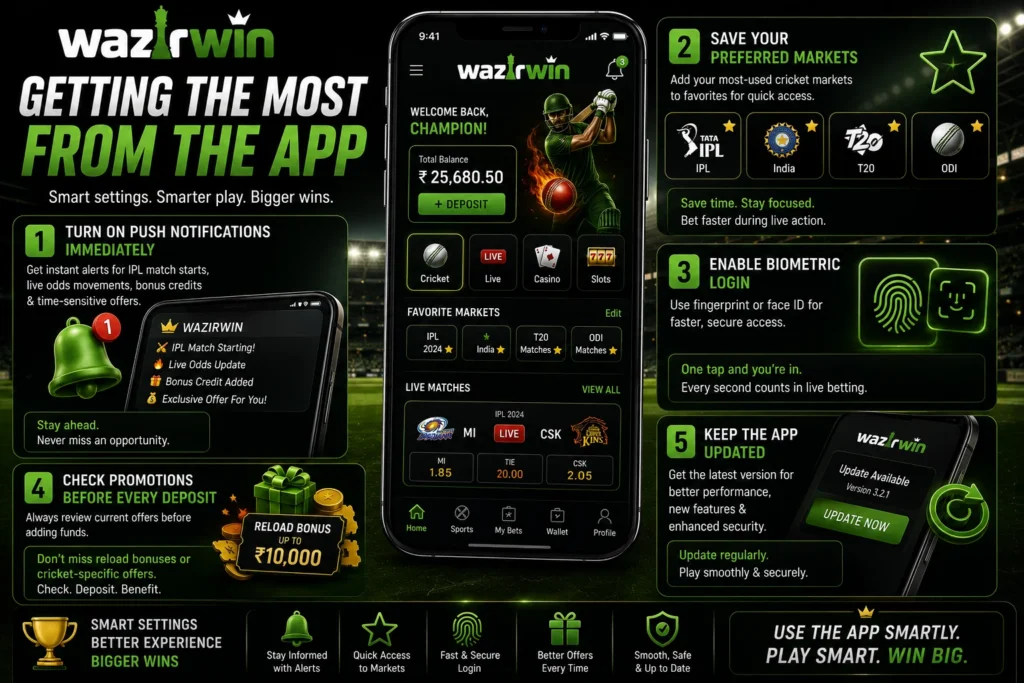
Installing the app is the first step. Using it in a way that genuinely improves your cricket betting and gaming experience requires a few deliberate choices after installation.
Turn on push notifications immediately. This is the single most valuable setting to activate after installing. Notifications alert you to IPL match starts, live odds movements, bonus credits, and time-sensitive promotional offers. Players who disable notifications consistently miss offers that active notification users receive at exactly the right moment.
Save your preferred cricket markets. Set up your most-used markets—IPL, India internationals, specific tournament formats—as favorites so they appear immediately when you open the app. This saves navigation time during live matches when speed matters.
Enable biometric login. If your device is compatible with face or fingerprint recognition, activating this feature in the app increases the speed of access. The last thing you want during a live IPL over is to be locked out while the odds are moving.
Check promotions before every deposit. The app makes it easy to review current offers before adding funds. Taking just a few seconds to check the promotions section before making a deposit can help you avoid missing any active reload bonus or cricket-specific promotional offer. Before depositing, ensure you never miss a reload bonus or cricket-specific offer active at that moment or a cricket-specific offer present at the time you made your deposit in any way.
Make sure the app is updated. The latest versions include improvements in performance and security patches and, occasionally, new features. If a brand new version becomes available via the official download site You should install it as soon as possible to benefit from the latest performance enhancements as well as security enhancements.
Final Thoughts
Mobile is how India games—and the app is built around that reality. For cricket bettors following IPL ball by ball, the live betting interface and real-time odds updates make the app genuinely superior to any browser alternative. For casino players who want live dealer tables and cricket-themed games available at any time, the app provides a stable, well-optimized mobile experience that works across the devices real Indian players own.
Install it via the official website Follow the easy installation process, turn on notifications, connect your UPI, and begin to experience cricket betting and playing in the way it was designed to be enjoyed on the go with INR currency, designed to be used by Indian players who take their cricket seriously.
Explore more platform guides, betting insights, and the latest updates on WazirWin to make the most of your cricket gaming experience.
Frequently Asked Questions
-
Is the app free to download?
Yes. There are no charges for downloading or installing the application.
-
Why is the app not on Google?
Play Store Depending on the platform’s distribution method and app store policies, the app may be available through the official website instead of an app store. Always download it from the official source. The app is downloaded directly from the official platform website — standard practice for Indian gaming applications.
-
Is it safe to install an APK directly?
Yes, when downloaded from the official platform website. Always use the official source rather than third-party sites to ensure you are installing the genuine application.
-
Which devices are compatible?
Any Android device running Android 5.0 or above and current or recent iOS devices. The app performs well on mid-range smartphones — it is not limited to high-end devices.
-
Can I deposit via UPI through the app?
Yes. UPI, Paytm, PhonePe, and Net Banking are all fully functional through the app with a payment flow optimized for mobile.
-
Does the app support live IPL betting?
Yes. Live in-play betting with real-time odds updates is fully supported, with an interface designed for fast mobile interaction during live matches.
-
What should I do if the app crashes or stops working?
Uninstall the current version and reinstall the latest version from the official platform download page. Always download from the official source to ensure you have the most stable version available.